Keep every container effortlessly up to date.
PullPilot is a self-hosted Docker Compose updater for your homelab. Track status, pull the latest images, and recreate your stacks — all from one clean UI.
Quick start
Running in four commands.
One container, a SQLite file and your Compose folder. No .env to write and no secret to generate — PullPilot asks for a username and a password in the browser on first run.
$ sudo mkdir -p /srv/docker-stacks
$ mkdir -p ~/pullpilot && cd ~/pullpilot
$ curl -fsSL -o docker-compose.yml https://raw.githubusercontent.com/KN990x/PullPilot/main/docker-compose.yml
$ docker compose up -d
Then open http://your-server-ip:8000 — that's it.
What it does
Every update, under control.
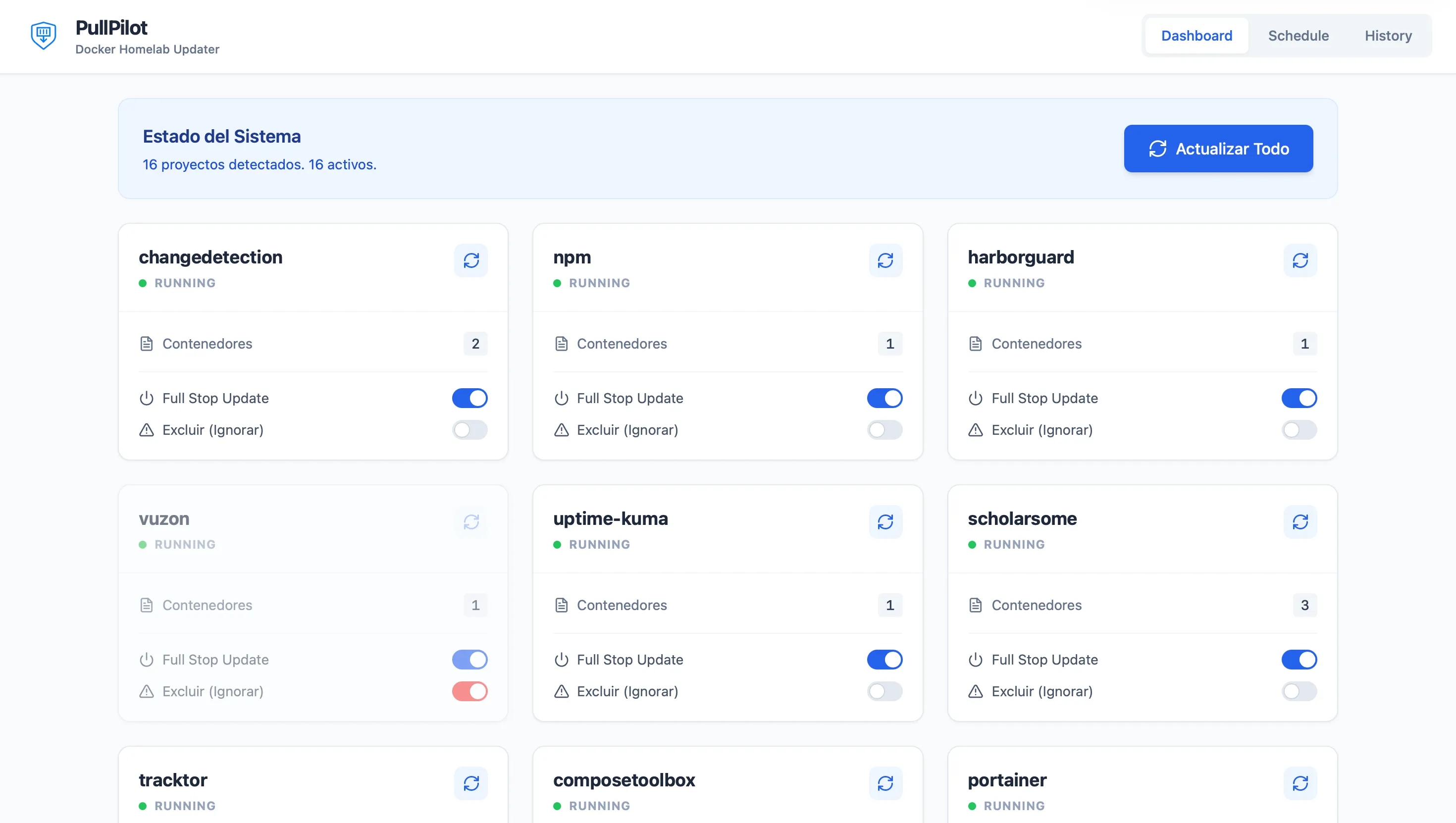
Project dashboard
A card for every stack — status at a glance, container counts, and Full stop and Exclude toggles for the ones you want left alone.
One-click Update All
Scans non-excluded projects, runs git pull where it applies, recreates containers, and files a summary in History. It runs in the background, so nothing hangs on an open connection.
Scheduled updates
Cron or one-off tasks, per project or for the whole homelab. Nothing is scheduled until you create it — no surprise 4 a.m. deploys.
Rollback when it breaks
Every deploy is health-checked. If the containers do not come up, PullPilot puts the previous images back, reverts the compose file on Git-cloned stacks, and brings everything up again.
Built for homelabs
One lightweight container. React + Vite on the front, FastAPI behind it, SQLite for state — installable as a PWA, with no external services to babysit.
History & logs
Every run is recorded. Drill into per-project logs when something needs a second look — in English or Spanish.
FAQ
Common questions.
Is PullPilot a Watchtower alternative?
It can be, if you want a dashboard for Compose projects rather than fully automatic recreates — and a deploy that rolls itself back when the healthcheck fails. Try the demo or read the docs to see the workflow.
Does it work with Docker Compose?
Yes. PullPilot expects each project as a folder under a stacks root (default /srv/docker-stacks) containing a compose file. Details are in the docs.
Is the demo talking to my server?
No. The online demo uses mock data in your browser. Nothing is installed and nothing leaves the page.
Is it free and open source?
Yes — Apache 2.0. Source and issues live on GitHub; the published image is ghcr.io/kn990x/pullpilot:latest. There are no paid tiers and no account to create.